
A production workspace for AI-assisted game assets
Generate consistent game assets without losing the context behind them. Reuse briefs and visual identities, compare variants, and keep your production organized.
For small teams building game worlds.
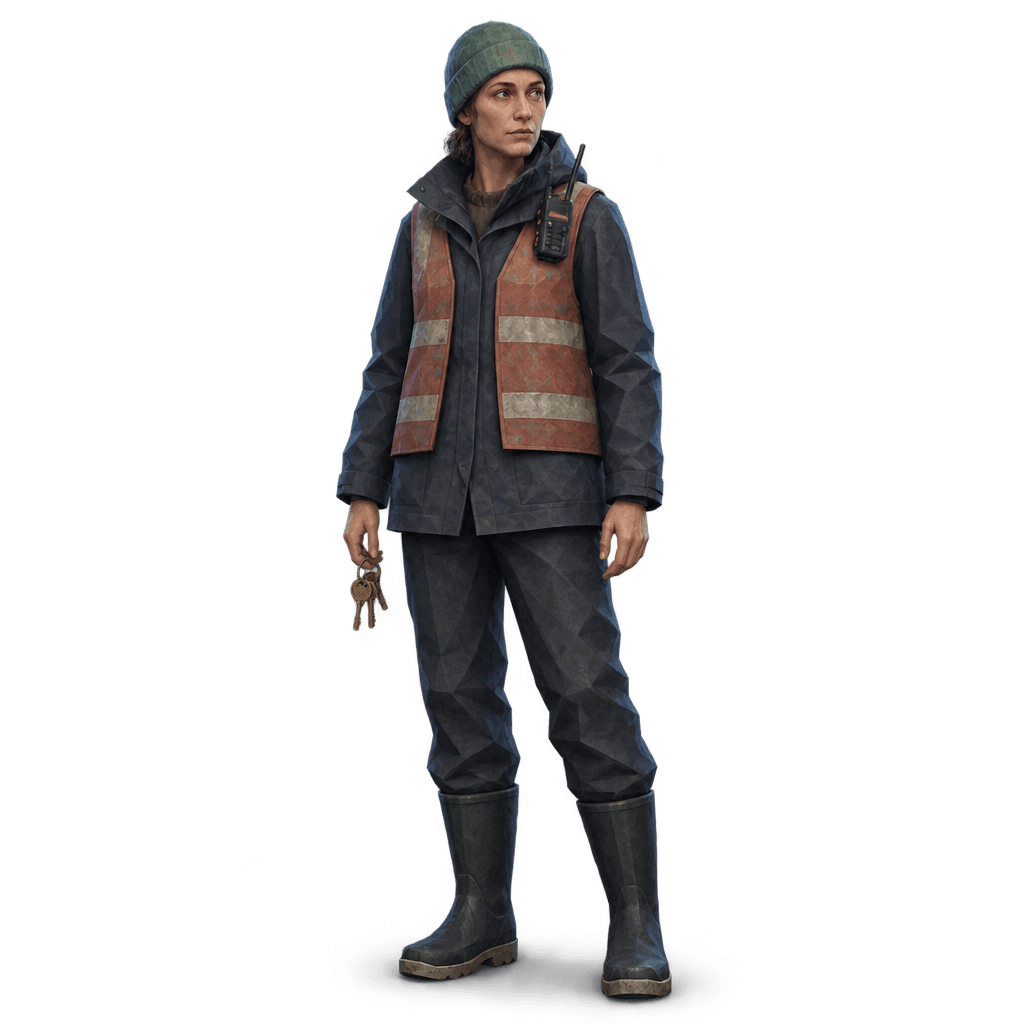
Nora Venn 1:1
Generating one image is easy.
Keeping a whole game consistent is harder.
Characters need to stay recognizable, assets need to share a visual direction, and useful variants need their setup. Assets Studio keeps briefs, generation settings, and results together so each image keeps its production context.
One asset definition.
Multiple variants.
A wary stray dog from the ferry pier. Three pose briefs—standing watch, crossing the pier, and listening—share the same visual identity. Compare the silhouettes while each variant stays connected to its brief and direction.
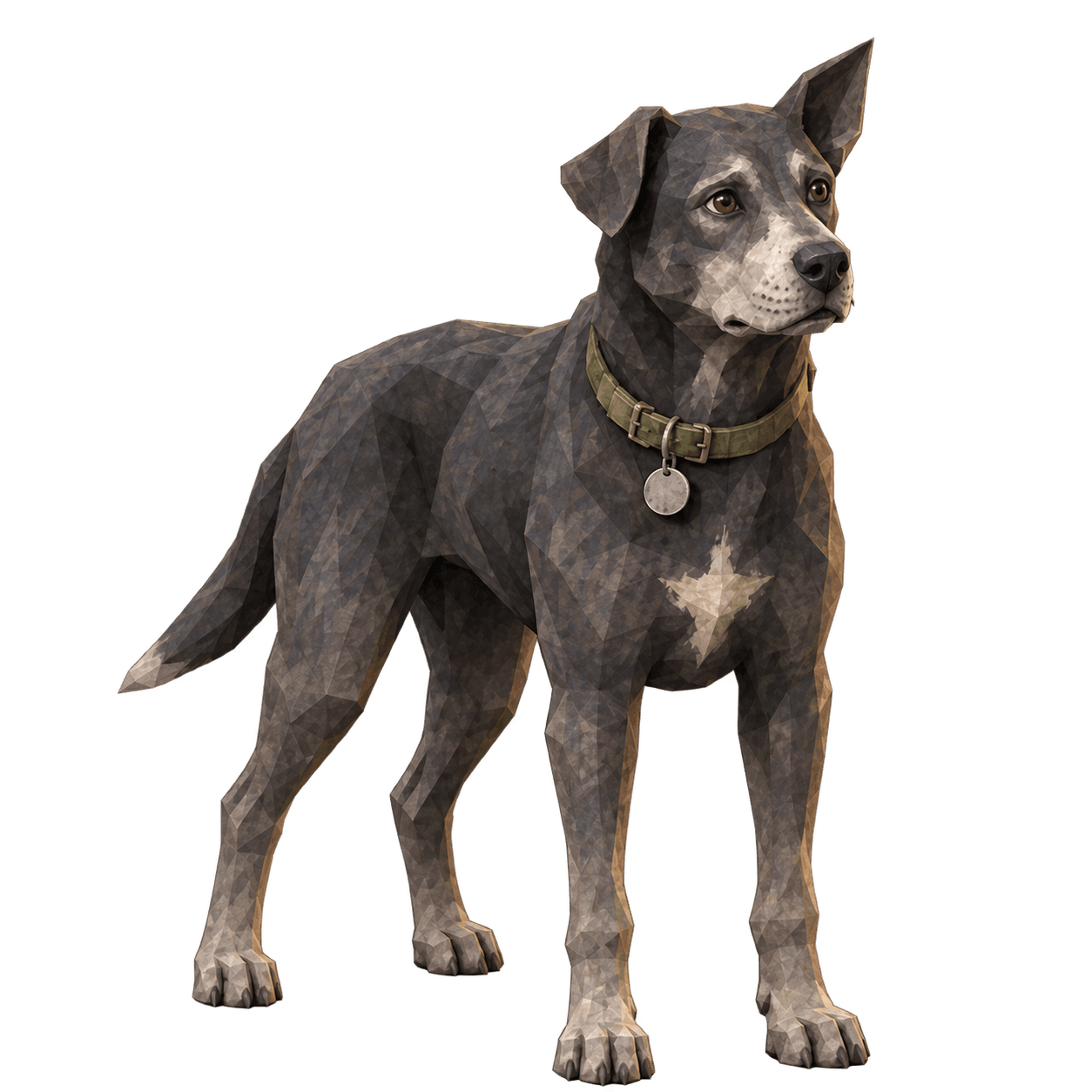
Standing watch. Generated image. 1 of 3.
Reuse the setup.
Change one detail.
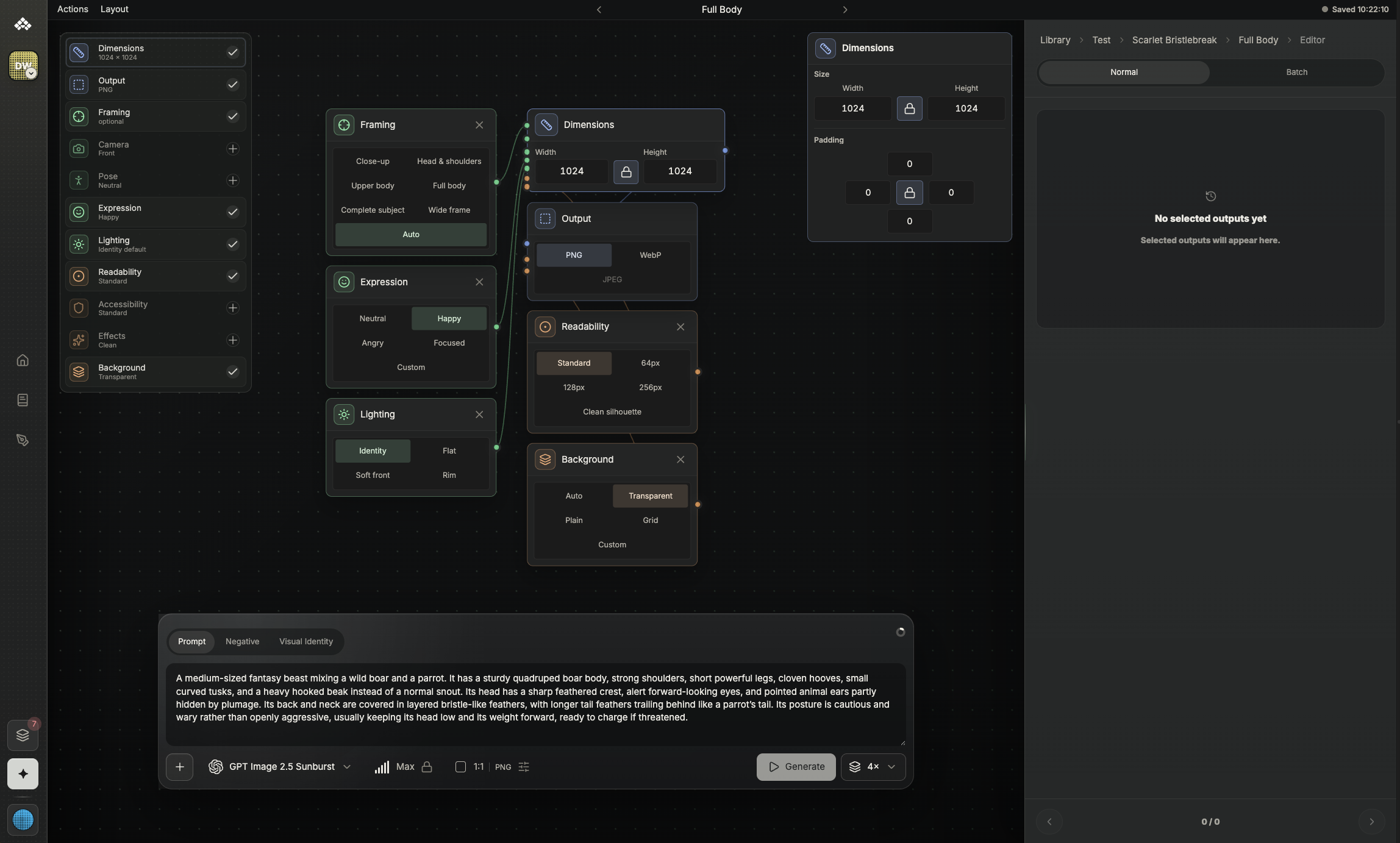
A blueprint keeps reusable image settings together: camera, pose, lighting, background, and dimensions. Generate another take from the same setup without rebuilding it.
Consistency. Frame by frame.
Generate a sprite sheet, preview the loop, and inspect each frame.
Campfire. Sample animation. Frame 1 of 6.
One visual identity.
Across every asset.
Save palettes, references, lighting, and style rules as a visual identity. Reuse that direction across characters, props, and environments so each asset belongs to the same world.
Night dispatcher. Generated image. 1 of 3.
Results keep context.
Easy to find later.
Keep each image with its brief, blueprint, visual identity, and related variants. Return to the setup behind a result, compare alternatives, and continue iterating without losing the decisions that shaped it.
Open studio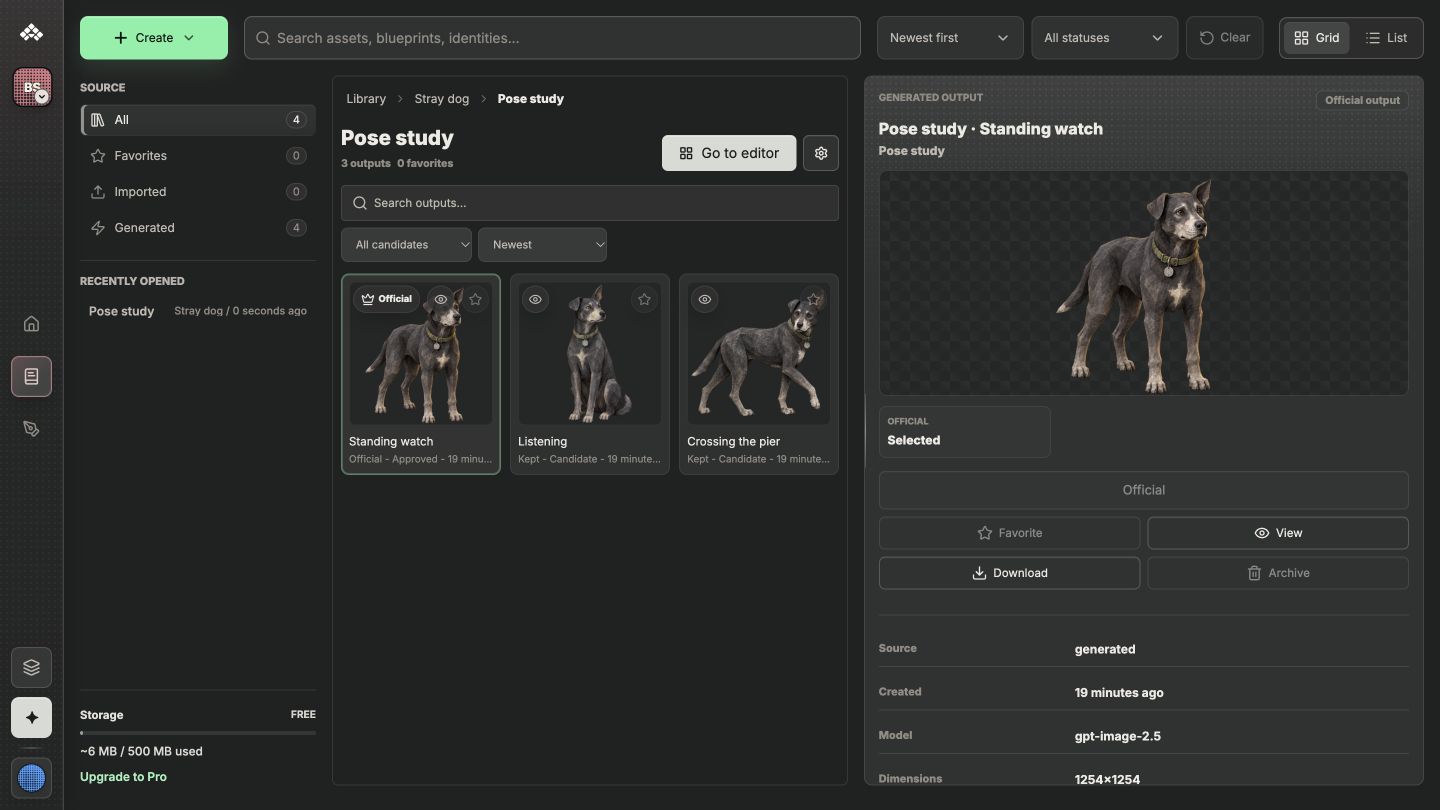
Questions
Generating an image is one step in a larger workflow. Reusable briefs, visual identities, variants, and their settings stay connected so you can keep related game assets consistent and organized.
What can I create?
Assets Studio uses AI image generation for characters, creatures, props, environments, and sprite sheets. Start with a game object, try several versions of the same brief, and choose the one that fits.
What does a blueprint control?
A blueprint holds the image setup: framing, camera, pose, lighting, dimensions, and output format. Its modules stay connected, so you can change a setting and make another pass without rebuilding the setup.
Can I use my own art direction?
Yes. Save a palette, reference images, and style instructions as a visual identity. Reuse it across different game objects so each asset follows the same visual direction.
How do I try another version?
Keep the same brief and adjust a blueprint setting, or revise the game object prompt. Generate again and compare the new result with earlier variants. The dog study above compares three poses under one visual direction.
How do sprite sheets work?
A sprite setup defines the sheet layout, frame size, frame count, and playback speed. You can preview the loop and inspect frames here. The campfire above is sample artwork, not a generated asset.
What happens after generation?
The library keeps related results with their briefs, blueprints, and visual identities. Return to the setup, compare variants, and continue from the same production context.
Is Assets Studio just an image generator?
No. Image generation is one step. Reusable briefs and blueprints, visual identities, and variants keep the context around each result so you can iterate and organize work across a game project.
Who is Assets Studio for?
It is built for game developers and small production teams creating many related assets. It is useful when characters, props, environments, and sprites need a shared visual direction and a clear connection to their project.